TrueNAS 25.10.1 に Export Recycle Bin(ごみ箱を有効にする)が見当たらないようです。
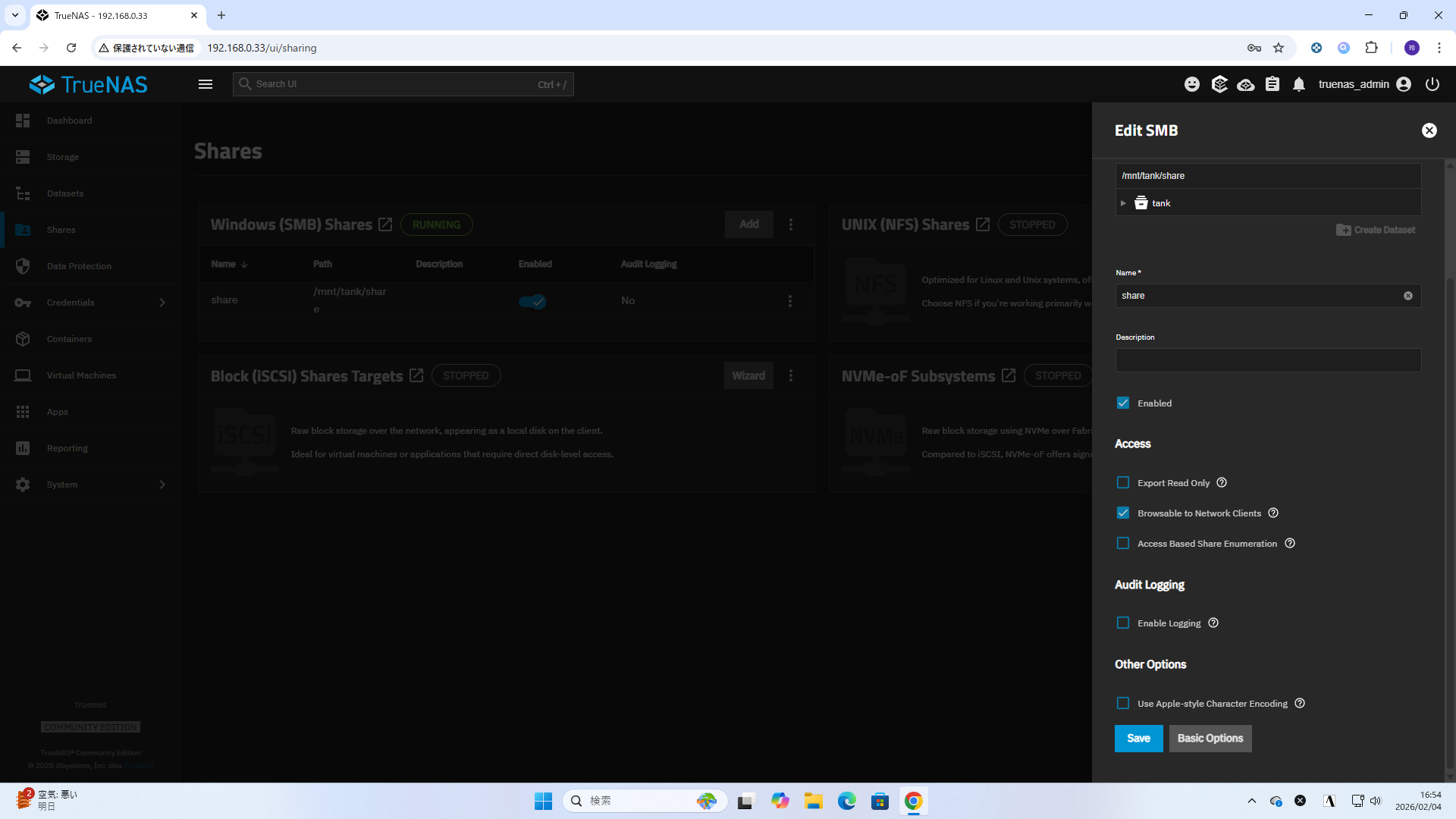
Shares > Windows (SMB) Shares で、共有を作成するとき、 Advanced Options をクリックしても、
Other Options
□ Use Apple-style Caharacter Encoding
しか表示されないようです。
(確認したところ TrueNAS 25.10、TrueNAS 25.10.0.1 でもないので、Goldeyeでの仕様変更の模様)
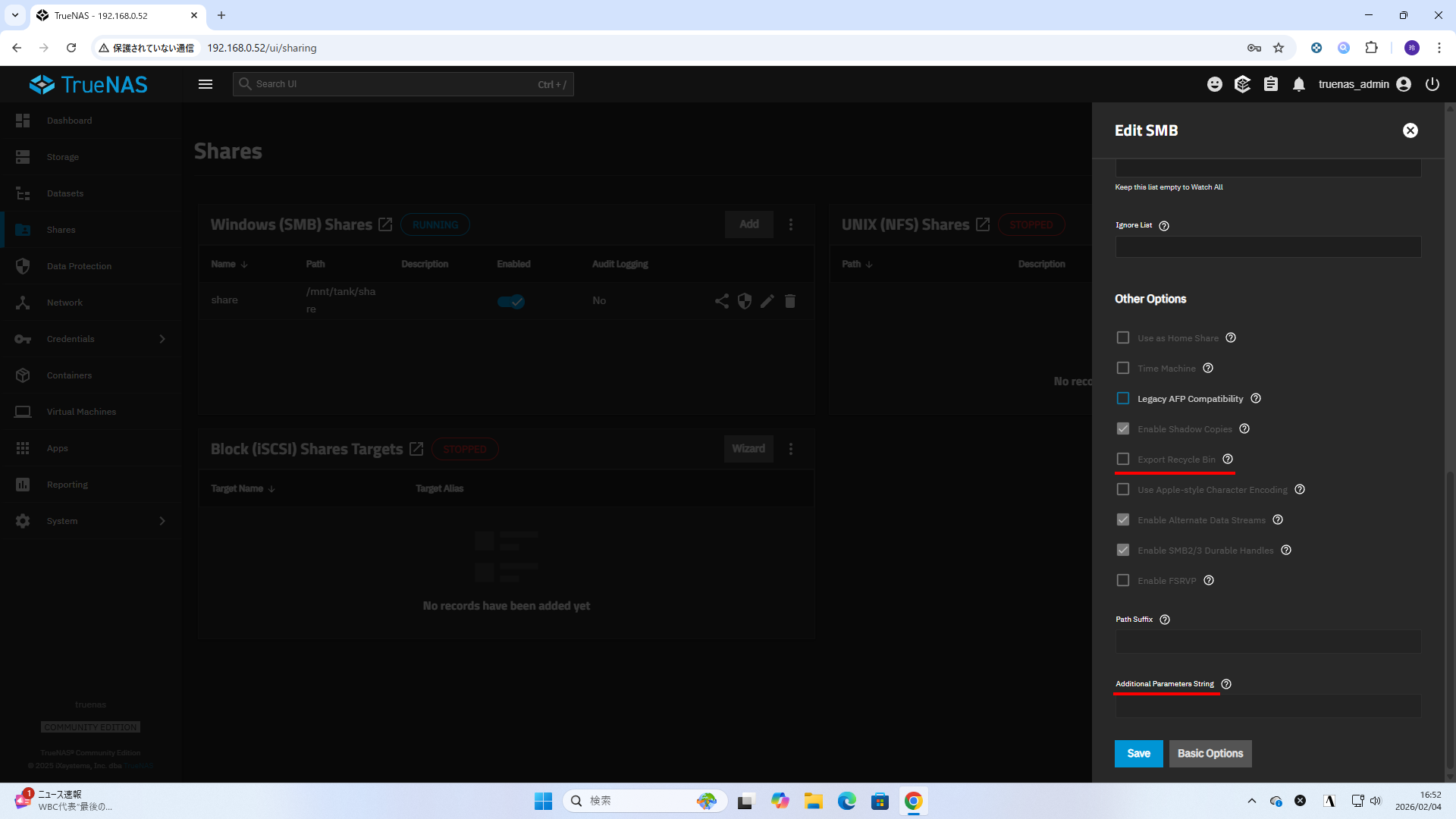
TrueNAS 25.04.2.6 の場合は、
Advanded Options をクリックすると、
Other Options
□ Use as Home Share
□ Time Machine
□ Legacy AFP Compatibility
□ Enable Shadow Copies
□ Export Recycle Bin
□ Use Apple-style Character Encoding
□ Enable Alternate Data Streams
□ Enable SMB2/3 Durable Handles
□ Enable FSRVP
Path Suffix
Additional Parameters String
String of additional smb4.conf parameters not covered by the system's API.
(システムのAPIでカバーされていない追加のsmb4.confパラメータのリスト。)
という項目が出現します。
(過去のバージョンで設定可能で、UIがなくなったりした場合、この Additional Parameters String のところに追いやられるイメージでした)
TrueNAS 25.10 (Goldeye) になって、Recycle Bin を使うより、
Periodic Snapshot を利用して、
Windows の「以前のバージョンの復元」を利用するのが「正」とするスタンスではないかという気がします。
に
- 新規共有ではレガシー設定にアクセスできない
- SMB recycle bin は新規共有では利用不可
- 代替は ZFS snapshots を使え
という記述があったみたいですが、現在の版では確認できません。
また、
Setting Up SMB Private Dataset Shares
5. (Optional) Scroll down to Other Options while on the Advanced Options screen to locate the legacy Export Recycle Bin option, which only shows if you select a share created in an earlier TrueNAS release. This allows moving files deleted in the share to a recycle bin in that dataset.
(オプション)詳細オプション画面で「その他のオプション」までスクロールし、レガシーの「エクスポート用ごみ箱」オプションを探します。このオプションは、以前のTrueNASリリースで作成された共有を選択した場合にのみ表示されます。これにより、共有内で削除されたファイルをそのデータセット内のごみ箱に移動できます。
Files are renamed to a per-user subdirectory within .recycle directory at the root of the SMB share if the path is the same dataset as the share. If the dataset has a nested dataset, the directory is at the root of the current dataset. If this is the case, there is no automatic deletion based on file size.
ファイルは、SMB共有のルートにある.recycleディレクトリ内のユーザー別サブディレクトリに名前変更されます(パスが共有と同じデータセットの場合)。データセットにネストされたデータセットがある場合、ディレクトリは現在のデータセットのルートに配置されます。この場合、ファイルサイズに基づく自動削除は行われません。
という記述を見つけることができました。
オプションが消えたのが意図的なものである片鱗かと思います。
コミュニティからのフィードバックで戻ったりはしなさそうな印象です。
コメント